





















How Long Does a Vaporesso Take to Charge?
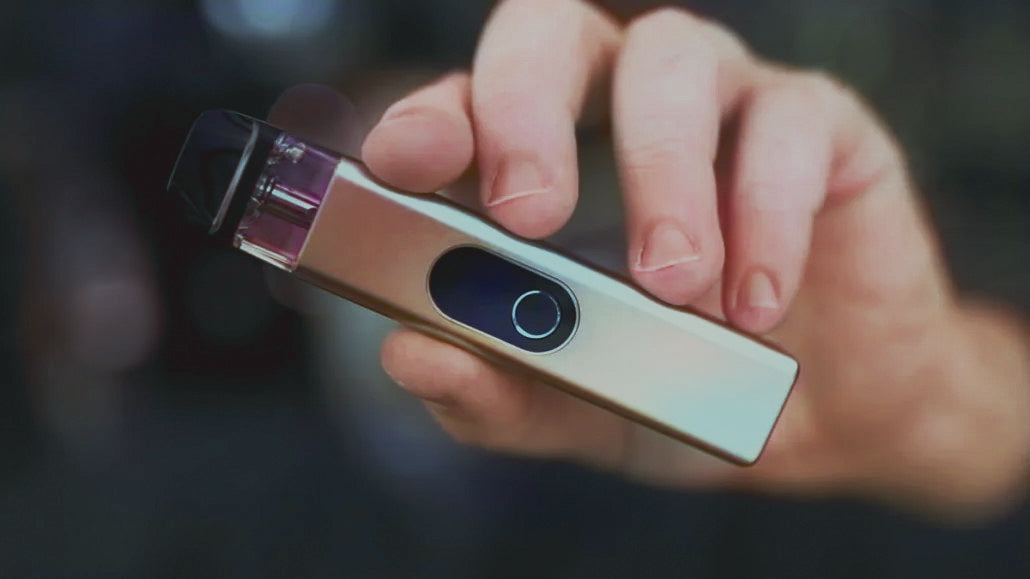
How long does a Vaporesso take to charge?
A clear UK 2026 answer for every model. Short answer: 30 minutes for the XROS 4 generation, 35 for the XROS Pro, up to 60 minutes for older XROS 2 kits.
The short answer
30 minutes to 2 hours30-60 min. USB-C, 2A wall adapter.
XROS 4 / 4 Mini fastest at 30 min. XROS Pro 35 min. XROS 3 around 40 min. XROS 2 about 60 min. Larger Luxe mods up to 2 hours.
30 min
XROS 4 charge time
2A
Recommended wall adapter
Most Vaporesso devices take between 30 minutes and 2 hours to fully charge depending on model and battery capacity. The fastest are the XROS 4, XROS 4 Mini and XROS Pro at 30 to 35 minutes from empty to 100%. The XROS 3 and XROS 3 Mini take around 40 to 55 minutes. The older XROS 2 takes about 60 minutes. Larger Luxe series mods with bigger batteries (1000 to 3000mAh) can take 1 to 2 hours. The biggest factors are battery capacity, charger amperage (2A wall adapter is faster than 1A or laptop USB), cable quality and ambient temperature. All current XROS-series devices use USB-C for fast charging. Vaporesso recommend using the original cable and a 2A wall adapter for fastest safe charging. Pass-through charging (vaping while plugged in) is supported on most kits but extends the total charge time and may shorten battery lifespan if used regularly. The single most effective speed-up: switch from a laptop USB port to a wall adapter. The single most common cause of slow charging: a worn or damaged USB-C cable.
Vaporesso charging in figures
Three figures every Vaporesso owner should know.
30min
XROS 4 / 4 Mini
Fastest in the Vaporesso pod kit range. USB-C with 2A input. Aluminium body helps manage charging heat.
35min
XROS Pro
1200mAh battery (largest in the XROS line). 2A USB-C input. Screen displays exact percentage.
60min
XROS 2
Older generation, 1A USB-C input, 800mAh battery. Cheaper kit, slower charging. Still reliable.
Vaporesso charge times by model
The exact charge time depends on which Vaporesso you own. Here is the full breakdown.
XROS 4 and XROS 4 Mini: 30 minutes
The fastest charging Vaporesso pod kits, thanks to USB-C fast charging and an aluminium body that helps manage heat during charging. A flashing or pulsing green LED shows the device is charging. Once the battery is full the LED turns solid green. The XROS 4 has a 1000mAh battery; the XROS 4 Mini has a smaller battery so charges similarly fast despite being on the same charging circuit. Both share the upgrade over the XROS 3 generation which took around 40 to 55 minutes. The XROS 4 also has three power settings (the Mini has a fixed setting) and an aluminium body. Always use the original USB-C cable supplied in the box and a 2A wall adapter for the rated 30-minute time. Charging from a low-power laptop USB port can extend the time to 60+ minutes.
XROS Pro: 35 minutes
The XROS Pro has the largest battery in the XROS series at 1200mAh, so despite the slightly longer charge time it lasts longer between charges than the standard XROS 4. The XROS Pro uses a 2A USB-C charging input which is faster than the 1A used by the XROS 3 and earlier models. The screen on the device shows the precise battery percentage, replacing the colour-coded LED system used on earlier XROS models. Charging from a 1A source (older USB ports or a slower phone charger) approximately doubles the charging time.
XROS 3 and XROS 3 Mini: 40 to 55 minutes
The previous generation. The XROS 3 has a 1000mAh battery and takes around 55 minutes to charge from empty using its 1A USB-C input. The XROS 3 Mini has a smaller battery and is buttonless, charging in around 40 minutes. Both use a colour-coded LED that progresses from red (0-30%) through blue (30-70%) to green (70-100%). The LED turns solid green when fully charged. The XROS 3 advertised "up to 48 hours on a single charge" though most UK vapers report 12 to 18 hours of real-world use depending on pod resistance and vaping intensity.
XROS 2 and original XROS: around 60 minutes
The older models in the XROS series. Both use a 1A USB-C input and have an 800mAh battery (XROS 2). The XROS 2 has a colour-coded LED that turns from red through blue to green. These older models do not support fast charging. If charging time is your main consideration, upgrading from XROS 2 to XROS 4 or XROS Pro halves your charge time. The older XROS 2 is still a reliable kit and many UK vapers prefer it because it is significantly cheaper than the latest models. Vaporesso devices older than the XROS series, such as the original Renova Zero, used micro-USB which is significantly slower than USB-C and can take 90 minutes or longer.
Luxe series and bigger mods: 1 to 2 hours
The Luxe X, Luxe XR, Luxe XR Max, Luxe Q and Gen-series mods have larger batteries (1000 to 3000mAh) and charge in 1 to 2 hours. Most use 2A USB-C fast charging. Larger box mods like the Gen 200 use replaceable 18650 or 21700 batteries; for fastest results, use an external charger like a Nitecore or Efest rather than charging in the device. External chargers typically reach 100% in 90 to 120 minutes versus 2 to 3 hours through the mod itself.
What affects charge time
Battery capacity: a 1200mAh XROS Pro takes longer than an 800mAh XROS 2 at the same charging amperage. Charger amperage: a 2A wall adapter charges roughly twice as fast as a 1A laptop USB port. Cable type: USB-C charges faster than micro-USB; cheap third-party USB-C cables are often slower than the supplied original. Cable condition: damaged or worn cables charge slower and may stop charging entirely. Ambient temperature: lithium-ion batteries charge slower below 5°C or above 30°C; safety circuits may pause charging at extreme temperatures. Pass-through charging (vaping while plugged in): adds significant time because part of the input current goes to operating the device.
Can I vape while it charges?
Yes, most current Vaporesso pod kits support pass-through charging, but it is generally not recommended for three reasons. First, charging takes significantly longer because the input current splits between the battery and the device. Second, repeated pass-through use heats the battery and shortens its long-term lifespan; lithium-ion cells typically lose capacity faster when used at elevated temperatures. Third, if your charging cable or adapter is faulty there is a small fire risk from heat build-up. The best practice is to leave the device plugged in until fully charged, then unplug and use. If you must vape urgently, a quick 5 to 10 minute top-up gets enough charge for a short session without the heat build-up of long pass-through use.
For more on Vaporesso devices our pod kit collection covers the full XROS, Luxe and Gen ranges.
Four steps to faster charging
Use a 2A wall adapter
Not a 1A phone charger or a laptop USB port. The XROS 4 hits 30 minutes only with 2A input.
Use the original USB-C cable
Cheap third-party cables charge slower. Replace with a 3A-rated USB-C cable if the original is lost.
Do not vape while charging
Pass-through use significantly extends charging time and degrades battery faster long-term.
Charge at room temperature
Lithium-ion cells charge slower below 5°C or above 30°C. Safety circuits may pause charging at extremes.
Vaporesso charge times at a glance
A simple list of what speeds up charging and what slows it down.
Charging accelerators
-
✓2A USB-C wall adapter: the rated speed only happens with proper input.
-
✓Original Vaporesso USB-C cable: or a 3A-rated replacement.
-
✓Wall plug not laptop: laptop ports typically only output 0.5A.
-
✓Room temperature 15-25°C: optimal range for lithium-ion charging.
-
✓Clean USB-C port: remove lint with a toothpick or compressed air.
-
✓Newer XROS model: XROS 4 generation halved charge time vs XROS 2.
Charging blockers
-
✗Pass-through vaping while plugged in: doubles charge time.
-
✗1A or 5W phone adapter: halves charge speed vs 2A.
-
✗Laptop USB port: 0.5A output is very slow.
-
✗Worn or damaged cable: most common cause of slow charging.
-
✗Cold or hot environment: safety circuits pause charging at extremes.
-
✗Dust in the USB-C port: reduces contact and slows current.
For more on vape kit setup head over to our full vaping guides hub where every device question is covered.
Back to the Vape Store Direct guides
This article sits inside our full vaping guides hub. Head back to the index for over 100 plain English answers covering UK vape law, hardware, e-liquid and everyday questions.
More on vape kits and hardware
For the related charging question our piece on how to charge a vape covers the basics. For pod lifespan our walkthrough on how long Vaporesso pods last covers the consumable side. And our piece on how long a vape lasts covers full device lifespan.

